Our new design Fanless ITX Mini PC H4 with I5-8250U /I7-8550U are widely popular in the wirld, many people like this powerful Industrial Computer, and some customers want to use RS485, you can follow below two steps to set 2 RS485.
Step 1: Set on BIOS.
1.1, First we need to power on the PC and click “DELETE”enter BIOS. Choose “Advance”and enter “ITE Super IO Configuration”
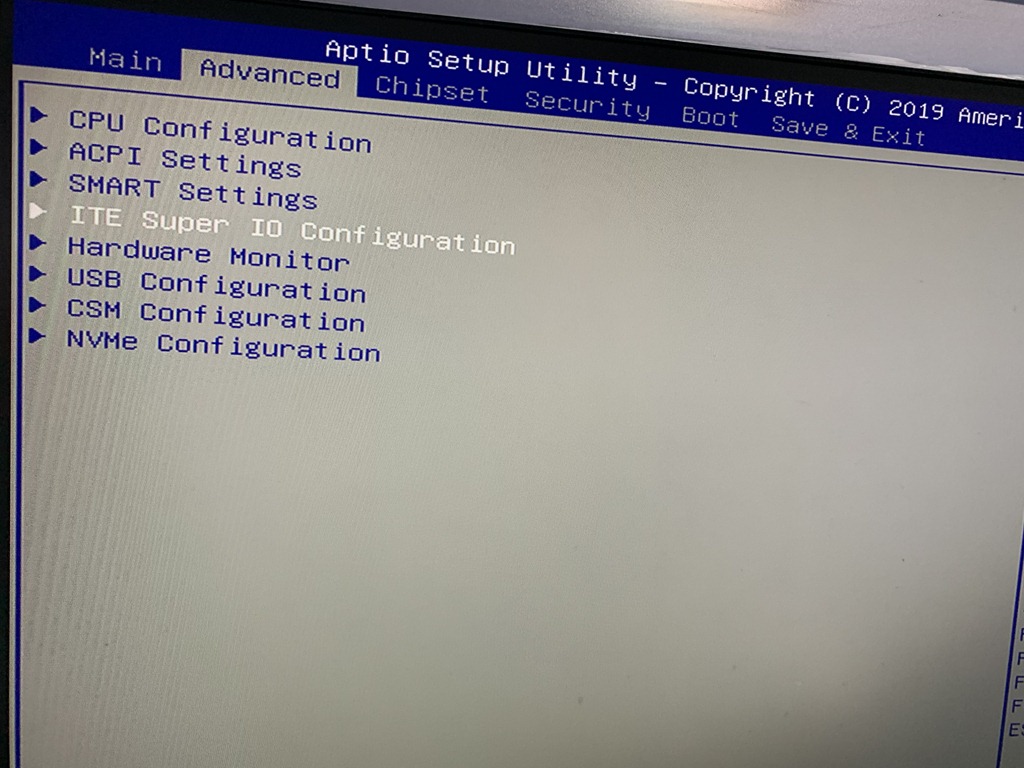
1.2 Let’s set the Port 6 to RS485, choose the “Port 6”and “Enable” it, then COM 6 RS485 functions on BIOS already finished.
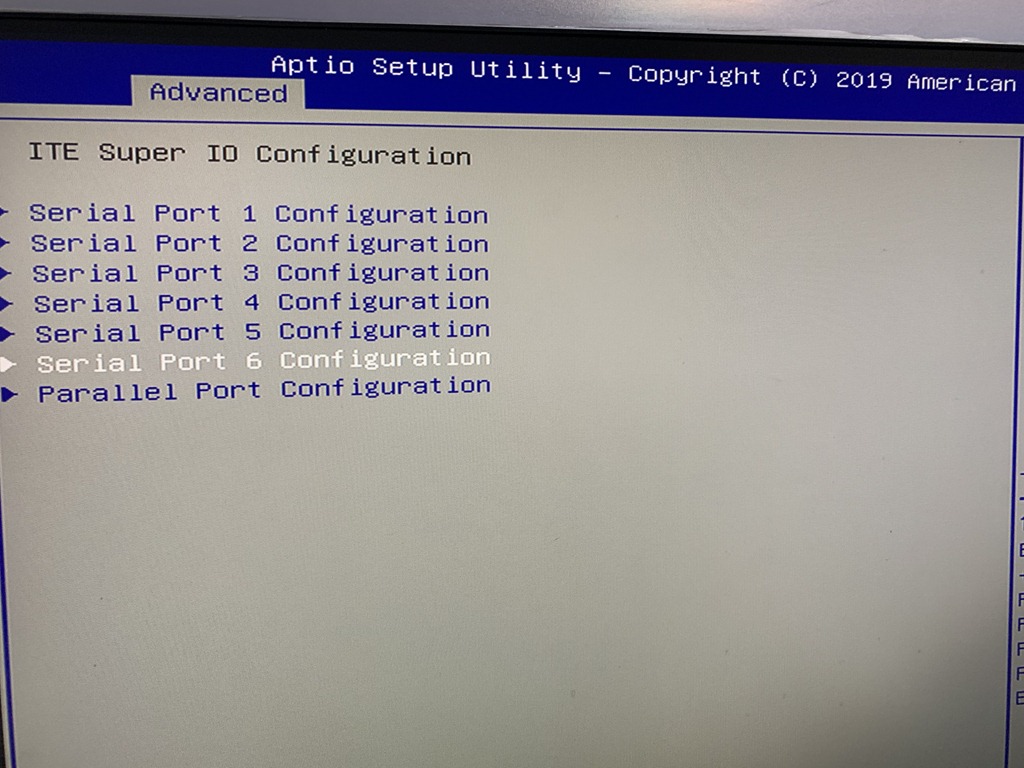
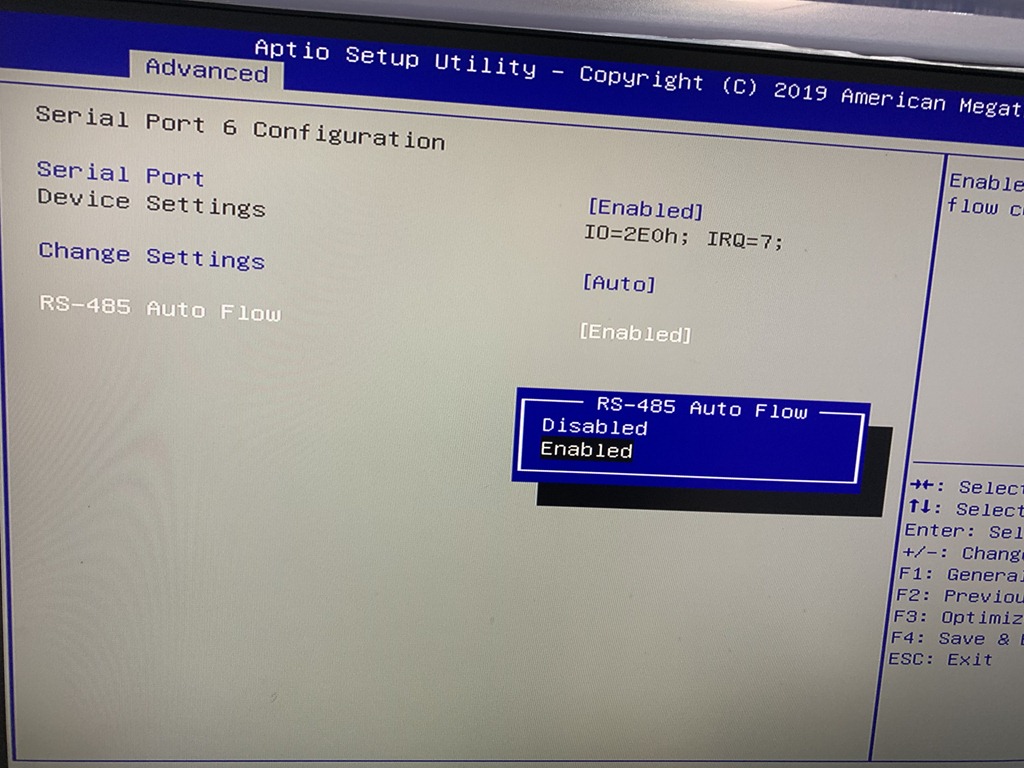
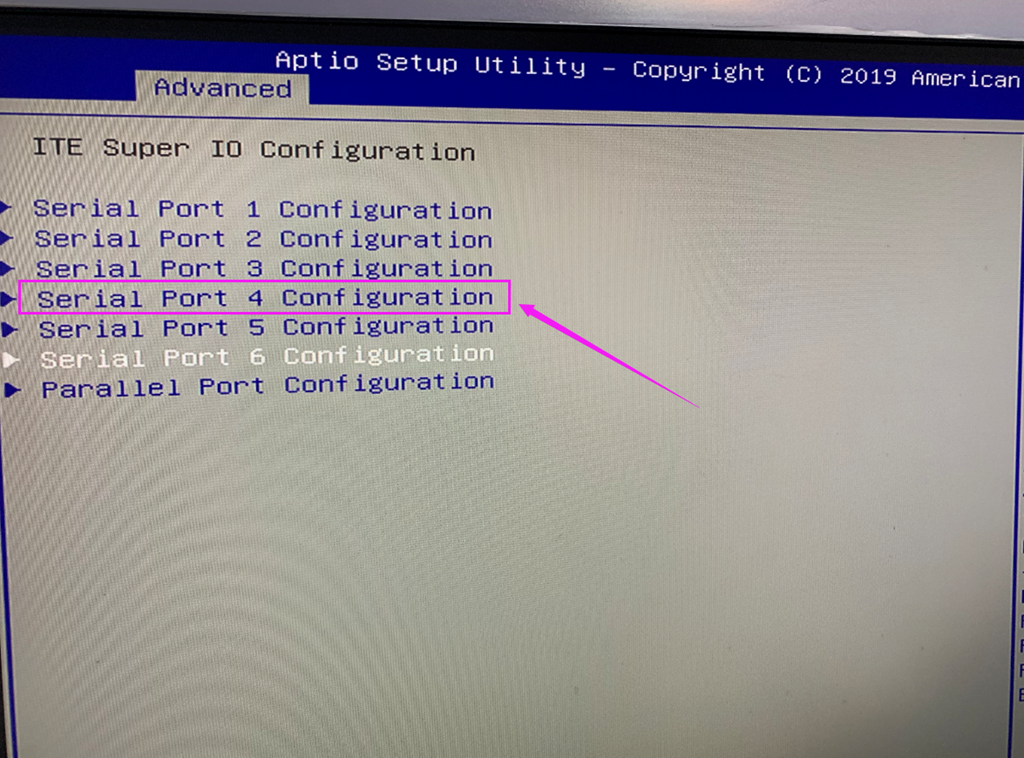
1.3 H4 model support max 2 RS485, so we can set another COM ports, see below images, we choose the Port 4, and also “Enable”it, it’s easy, but here’s one notice, the port 4 on BIOS is match COM 5 on the computer case marked.
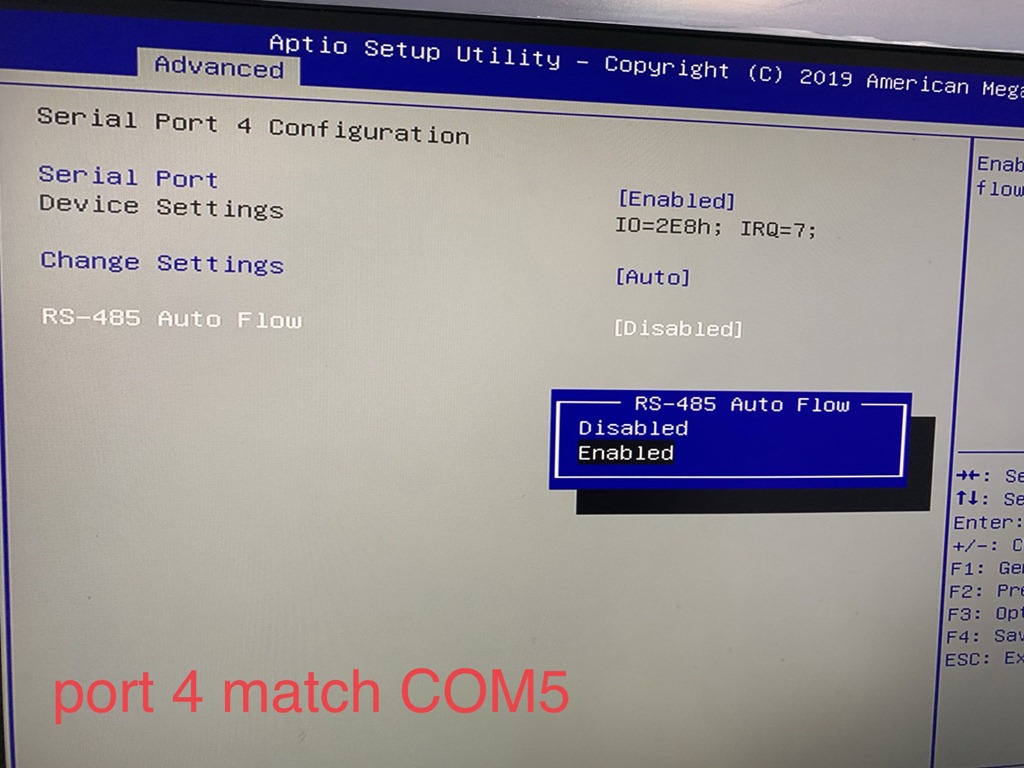
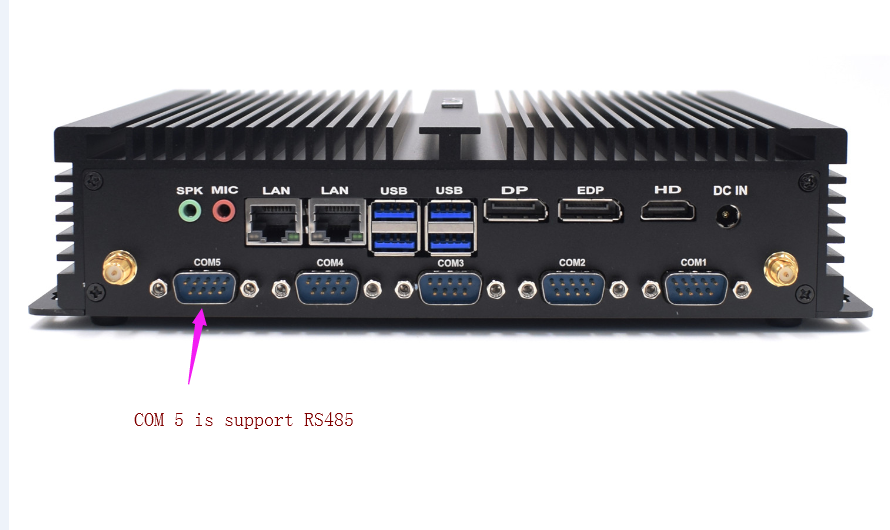
Step 2: Move the Jumper.
After the setting change in BIOS, we need to move the jumper on the motherboard, it default on the top right, see below image.
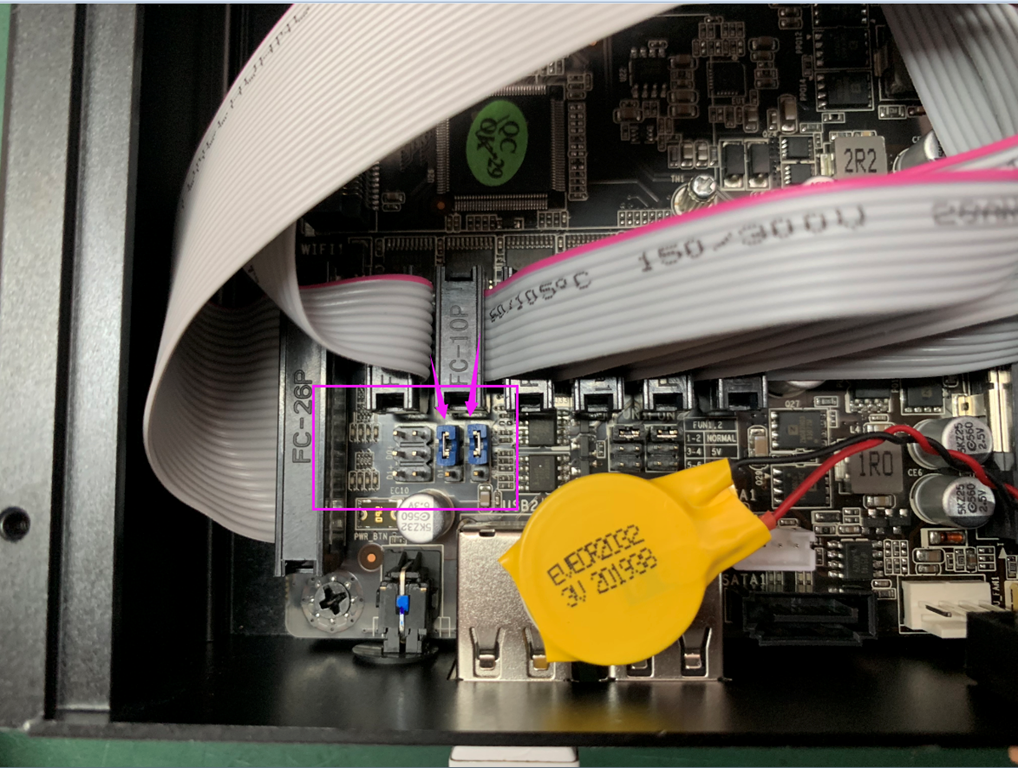
we should change the jumper to the bottom right, check below image for reference.
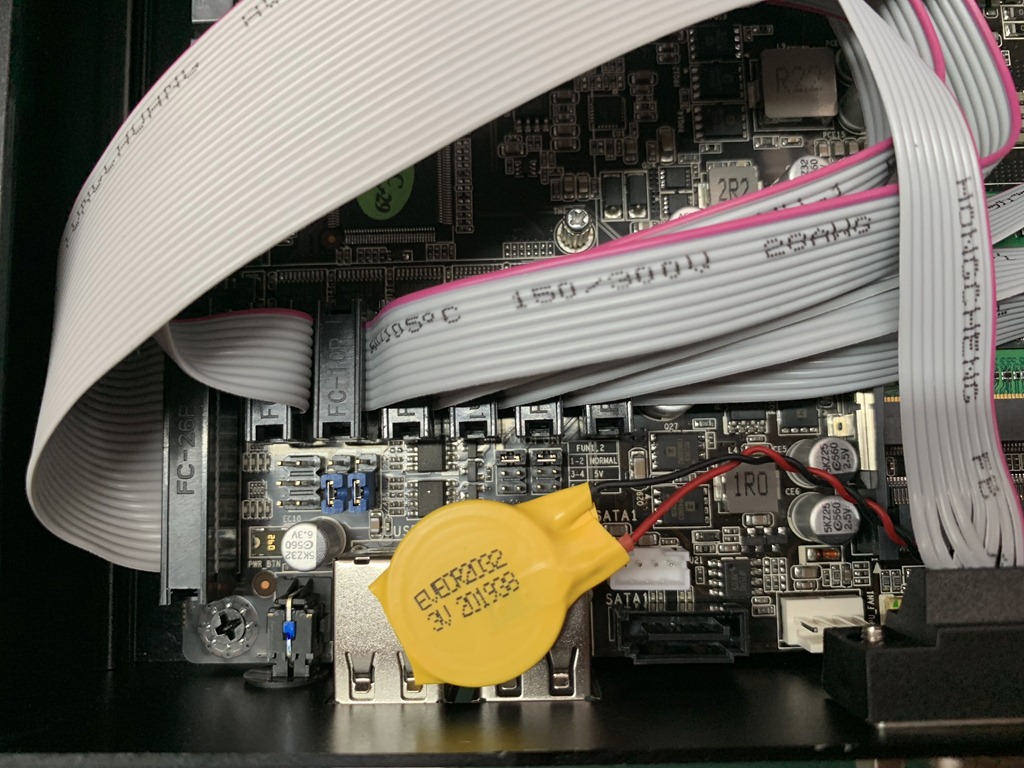
After above 2 steps, the RS232 to RS485 change finished, restart your computer, the COM5/COM6 marked on the pc case will detected as RS485, any more information or computer inquire please directly contact me via Whatsapp/Wechat:+8615817033377 or Skype: jacy_182
 Mini PC
com1 也可以在rs232和485之间换来换去吗?
这电脑是跑Windows 10对吗?
我们可以要求要有 pure DOS 6.22 吗?
LikeLike
这款机器之后COM5/COM6可以转换呢,通常是建议装win10的, 但是如果你需要 pure DOS 6.22,我们的人员可以免费帮忙安装。如您有购买需求请直接联系我,Wechat/WhatsApp : +8615817033377
LikeLike