Many customer need auto power on function(turn on automatically when connect power) when power loss suddenly, or the IPC embedded inside theirs machine which is locked/sealed, so computer can auto power on without clicking the button, so auto power on function is an important consideration, now let’s show how to set it on BIOS.
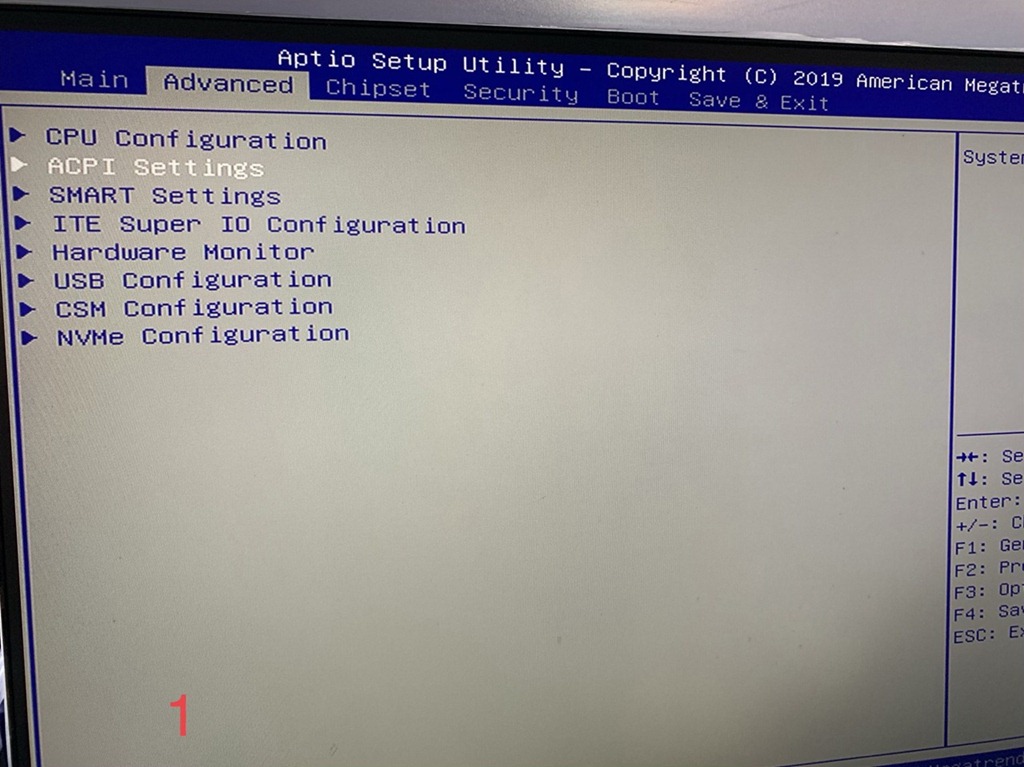
Please click “DELETE”to enter BIOS, and select “Advance”—-“ACPT Settings”
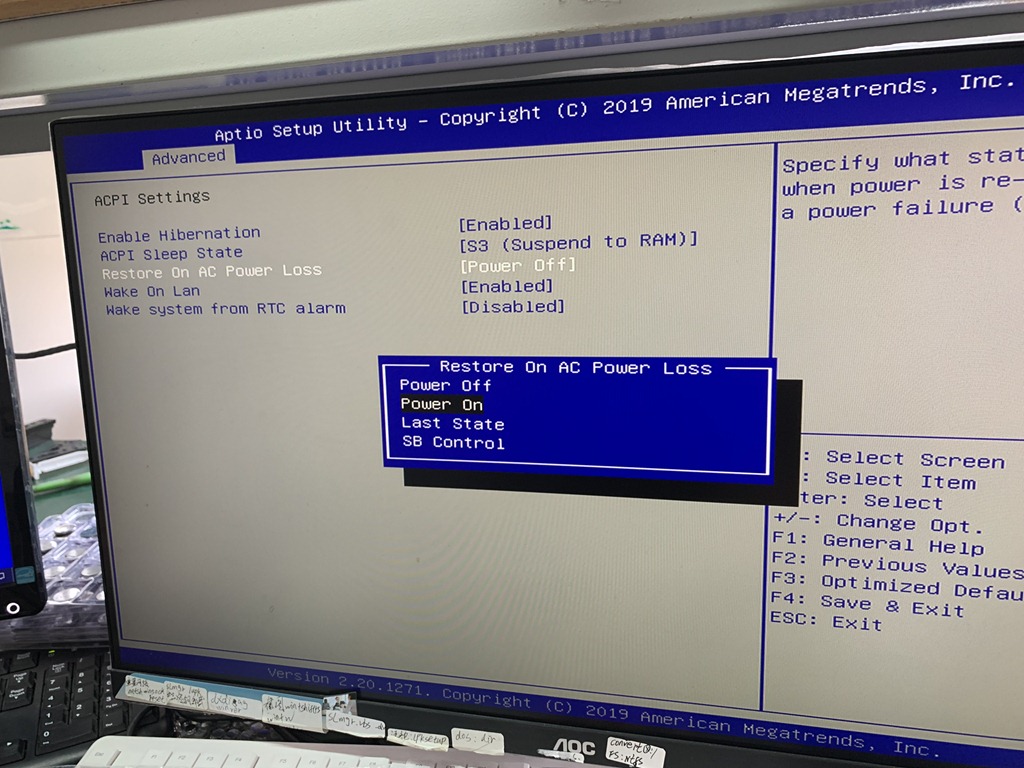
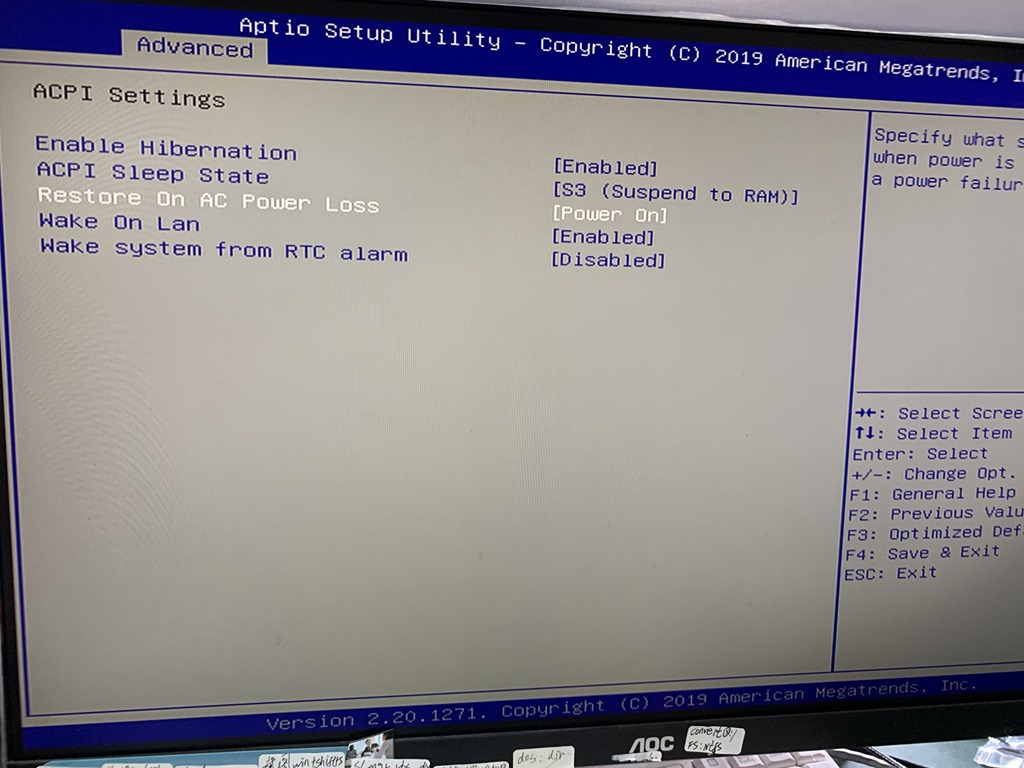
Enter “Restore On AC Power Loss”, change to “Power on”, and click F4 in your keyboard to save your change, restart your computer the functions already workable.
But please notice there’s battery (model: CR2032) in your motherboard, so your change can be save, and make sure don’t plug out the power plug when you finished the setting.
 Mini PC