For P05B-I5-5200U, setting for “Restart Automatically after a Power Loss”/ Auto power on when plugged into the electricity.
1. Once you click the power on button, you need to click “Delete”continuously to enter BIOS.
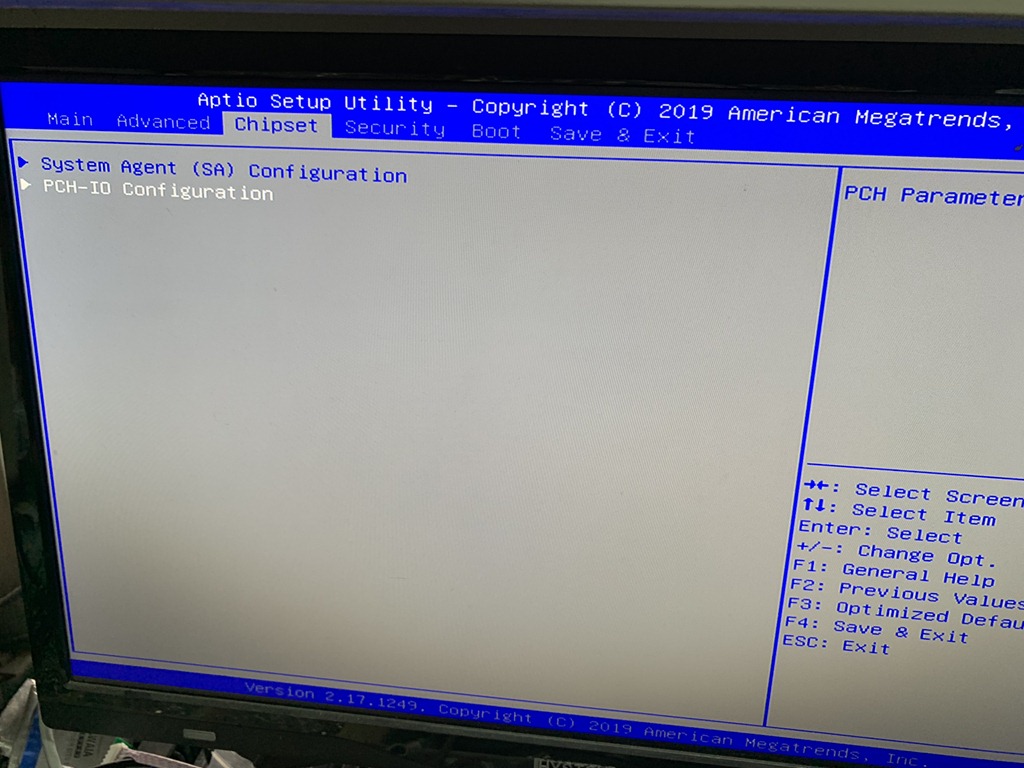
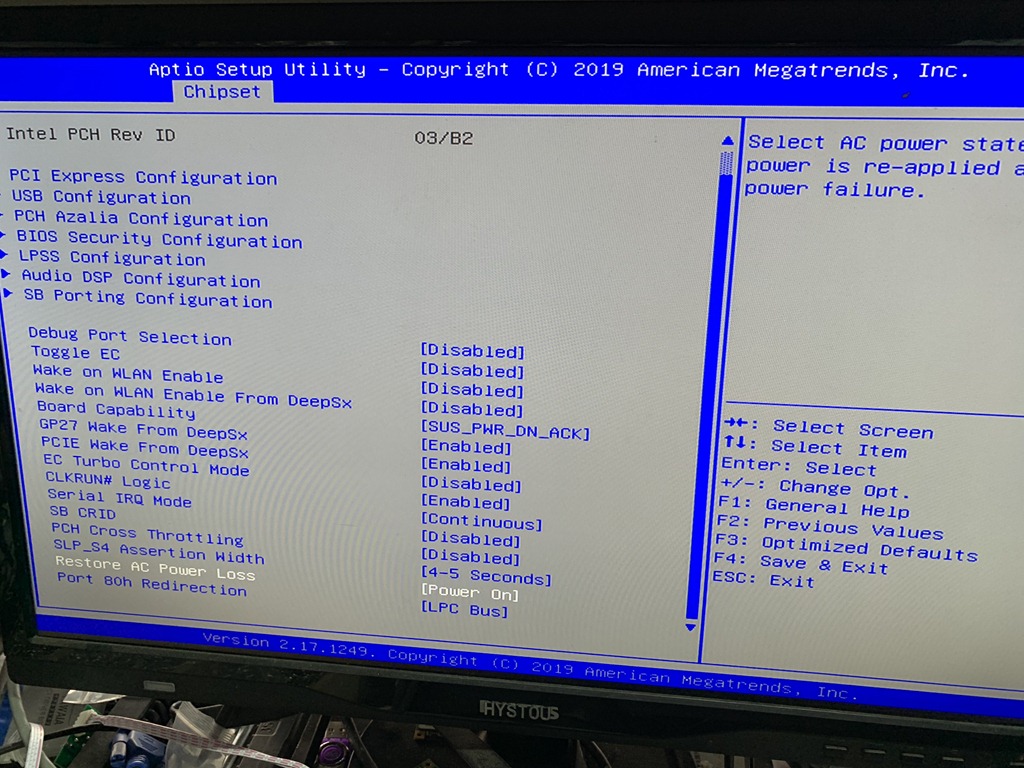
2. Click Chipset and go to PCH-IO Configuration
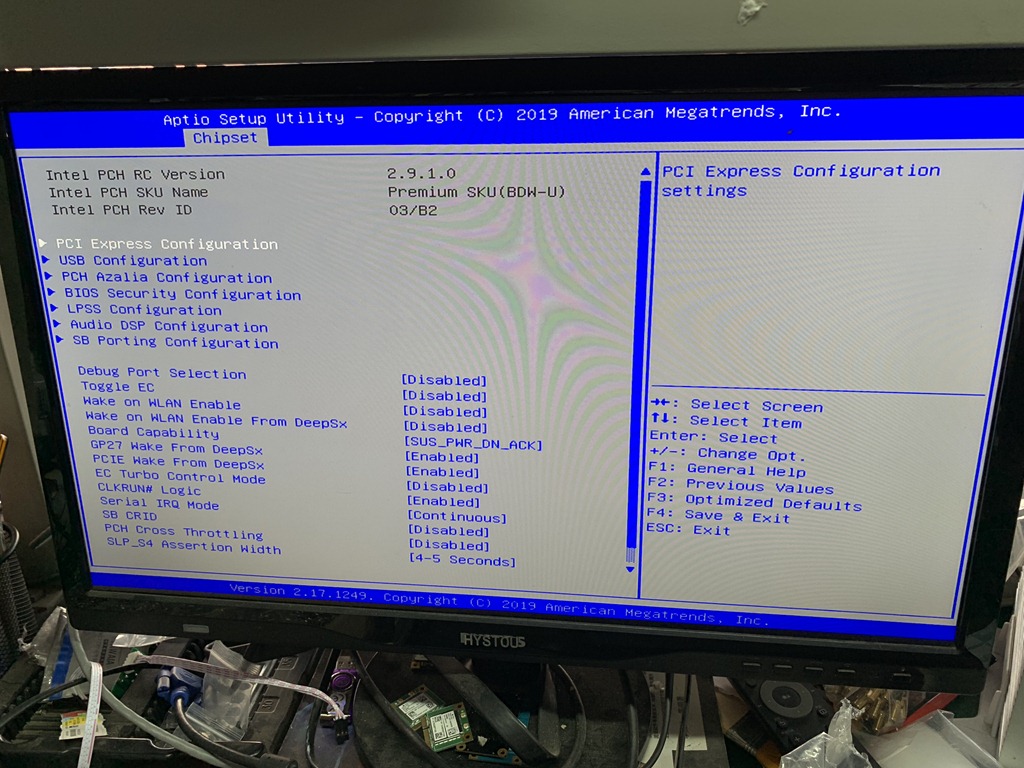
3. In this screen you can enable or disable wake on lan function, Restore AC Power Loss and others. Restore AC Power Loss is the one we are talking here, click to select the right one you want will be OK.
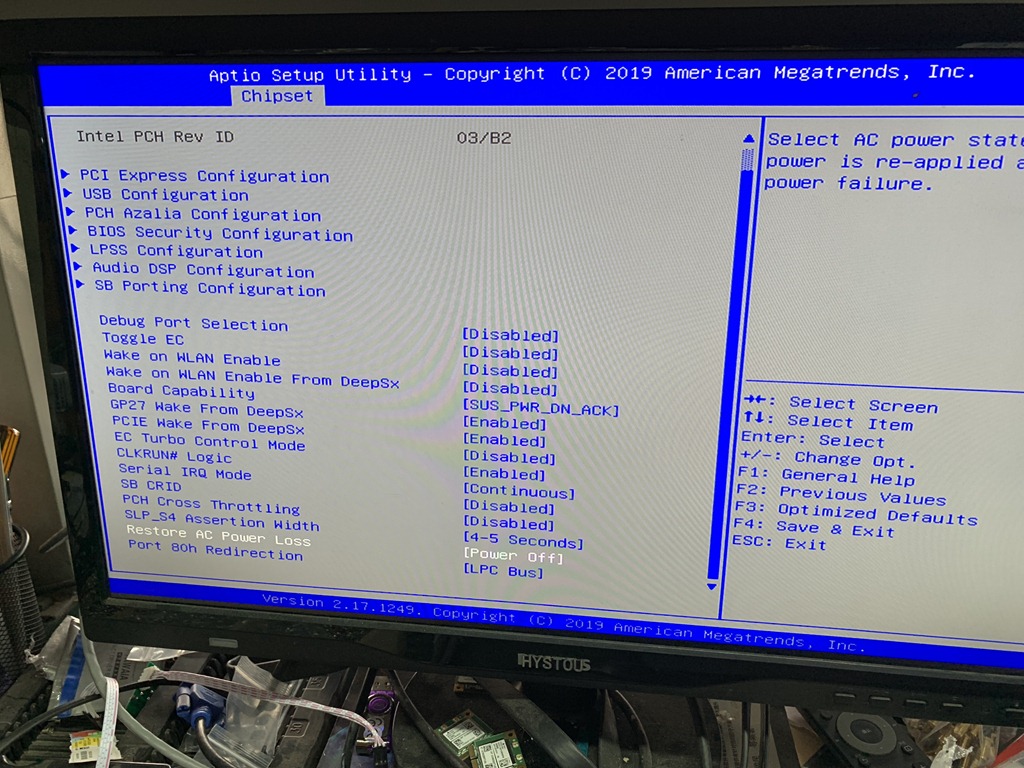
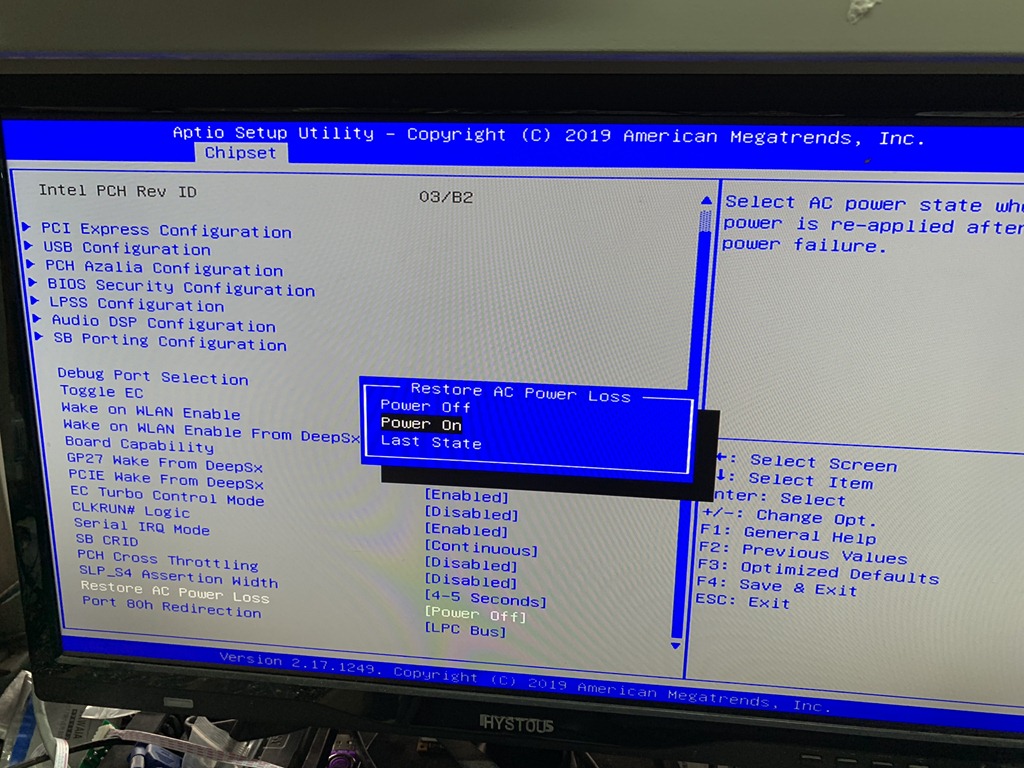
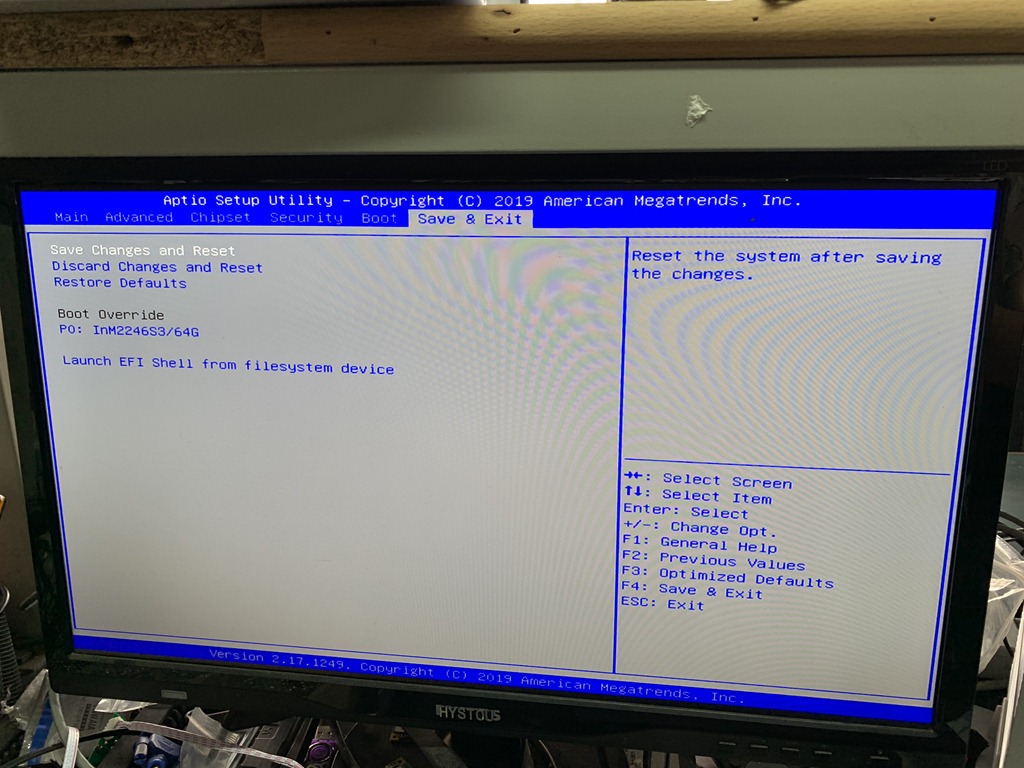
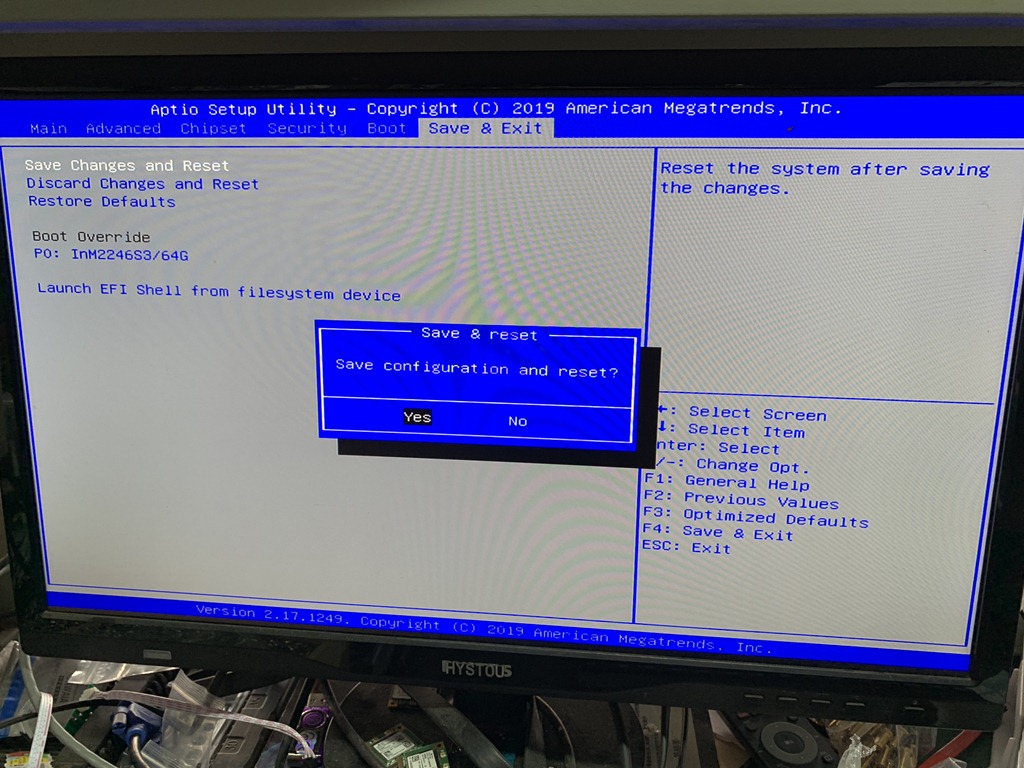
4. Final step, go to “Save & Exit”, save the seeting then all is done, when you plug in power, pc will auto on now.
 Mini PC