1. Constantly click “Delete”to enter BIOS.
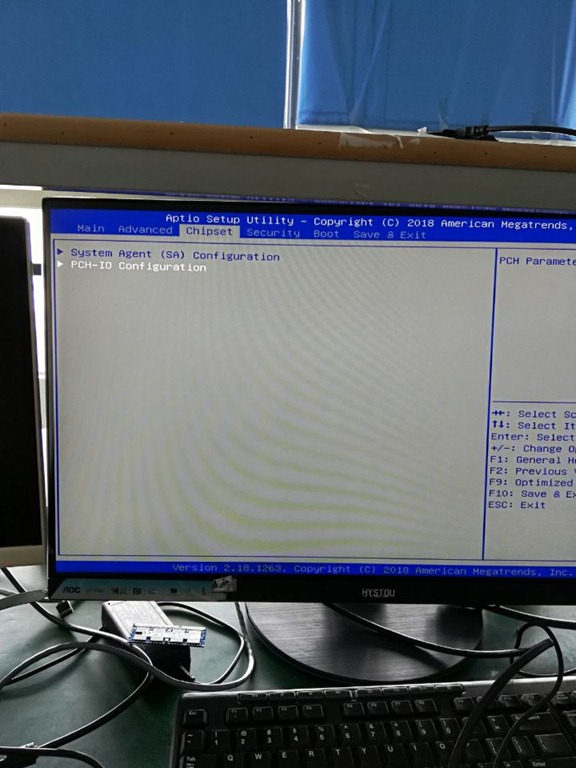
2. Choose “chipest”option, and come to “PCH-IO configuration”
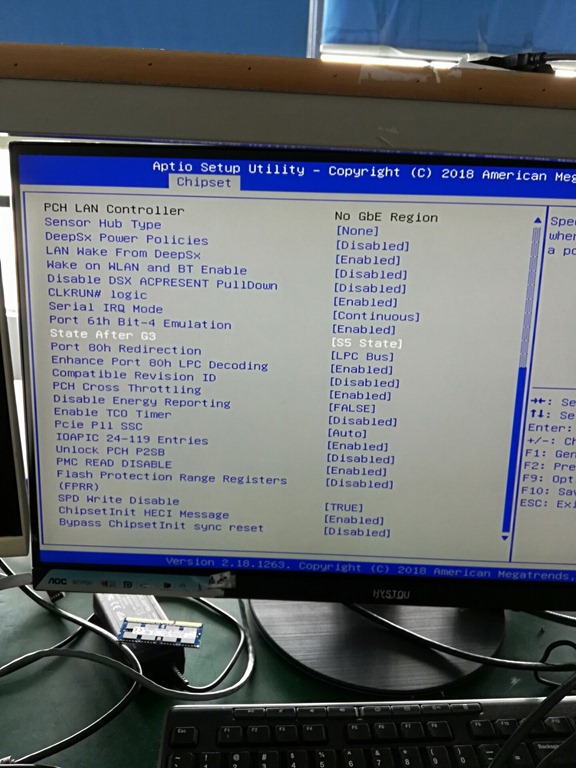
3. Choose “State After G3————- (S5 State)”
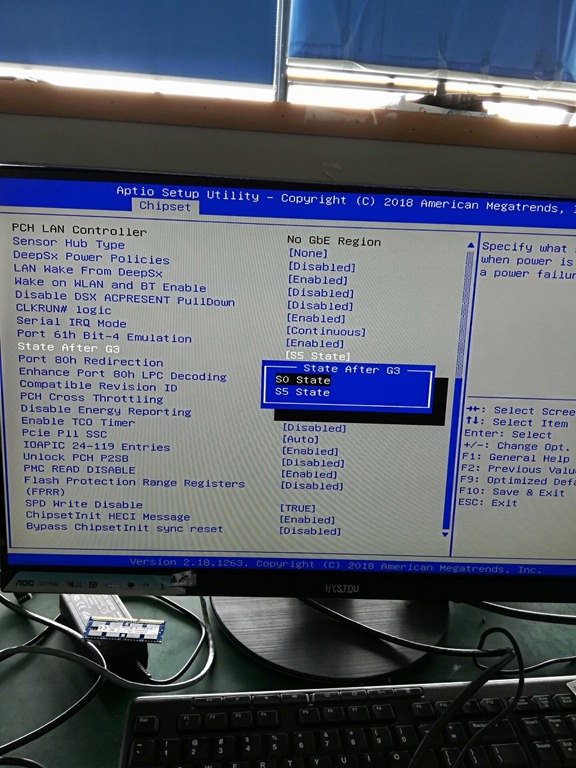
4. Change the default option “S5 State” to “S0 State”, save the setting then auto power on when connect power function setting successfully.
 Mini PC